IERAUI / Using the UI
Know what
the cue is telling you.
A few things to notice on your first turn. These cues help you follow the interaction; the choices stay yours.
01 / Timing
Read the prompt before the click.
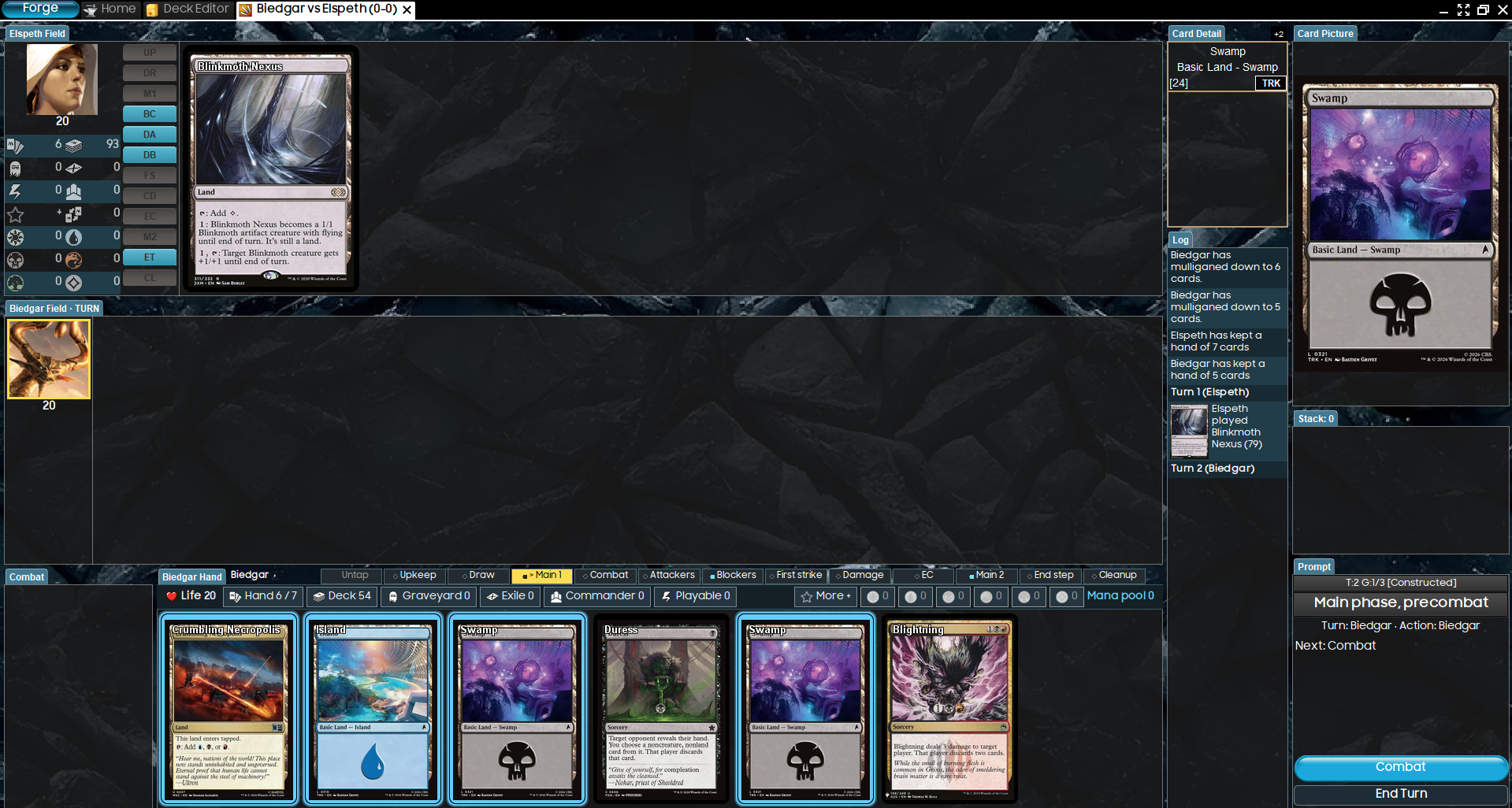
The portrait marks the active turn. The phase strip tells you where you are. The Prompt tells you who needs to act and what input is being requested.
- Resolve
- You’re passing priority with something on the Stack. Other participants can still respond. One click does not promise to resolve everything.
- Combat / next phase
- With an empty Stack, the action label points toward the next step. A brief guard at main-phase entry helps catch a click carried over from the previous prompt.
- Phase stops
- Clicking a phase in the strip toggles a stop. It doesn’t jump the simulation forward.
02 / Mana
Tap deliberately.
Tap Mana highlights source choices. Click the sources you want, or spend mana already in your pool. The small Auto button remains available when you want automatic payment.
The bar reads zones → More → mana symbols → pool tally. Pool 0 means no mana is floating; it does not mean all your lands are unavailable.
Use the displayed payment cost. X, additional costs, and restrictions can change what is payable. This version does not yet explain every tax or calculate a reliable maximum X.
What’s planned for mana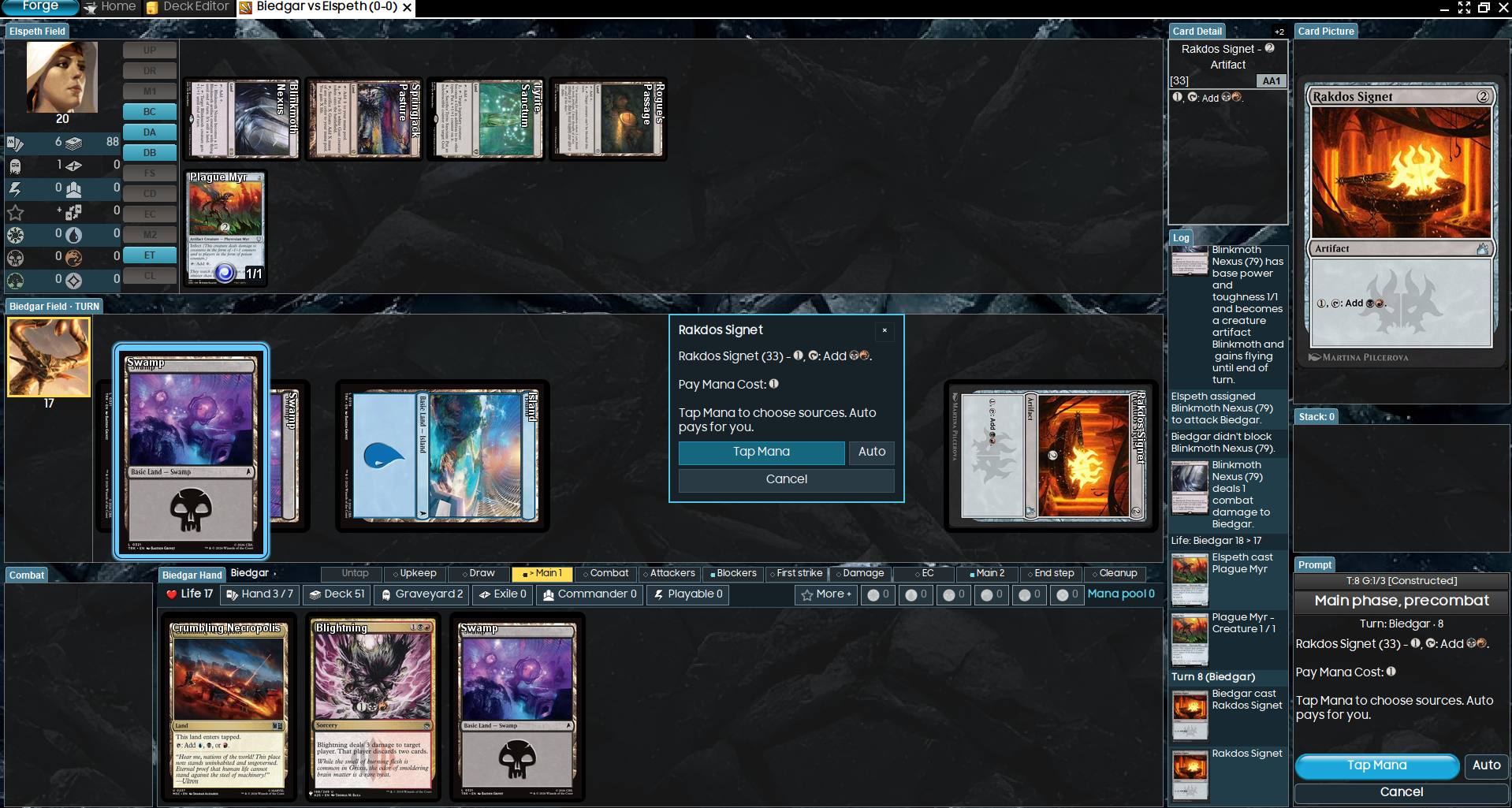
03 / Actions
A glow means
“take a look.”
Action outlines make interaction opportunities easier to spot. A card may have several abilities with different costs, so an outline is not a blanket affordability check.
Flash is a timing reminder. It does not receive the same ready glow just for having flash. Read the ability and current prompt when an action is unclear.
The small card prompt repeats the nearby interaction. Drag its existing top area to clear space. Closing it leaves the main Prompt available.
Confirm blocks is a boundary. Once blocks are confirmed, you’re in a response window; a creature click can activate an ability instead of assigning a blocker. The addon makes that boundary more explicit.
04 / Feedback
Give the Stack
a moment.
Some effects take more than one prompt. Finish the current choice, then check the Stack before assuming the effect disappeared. New entries receive a cue, and resource totals briefly show signed changes.
Current power/toughness appears on the card. These numbers and resource cues describe the present state. Pending combat-damage forecasts and larger effect animations are still future work.
If the interface remains unclear, tell me what you clicked and what you expected. That’s how this addon started.
Thanks to Forge’s creators and contributors for the rules engine, card implementation, AI, and deck tools that make this possible. IERAUI is an independent UI Addon by Illiterally, shared in appreciation of that work.
GPL-3.0-or-later. Source and build instructions are public. OpenAI Codex assisted implementation and checking. This addon is not endorsed by Forge's maintainers or Wizards of the Coast.
Source, license & creditsCome say hello
Find us on Discord.
Find game links, project information, and updates. You’re welcome to leave a comment, ask a question, or tell us how your run went.
Follow along
Find us on TikTok.
@literallyilliterally